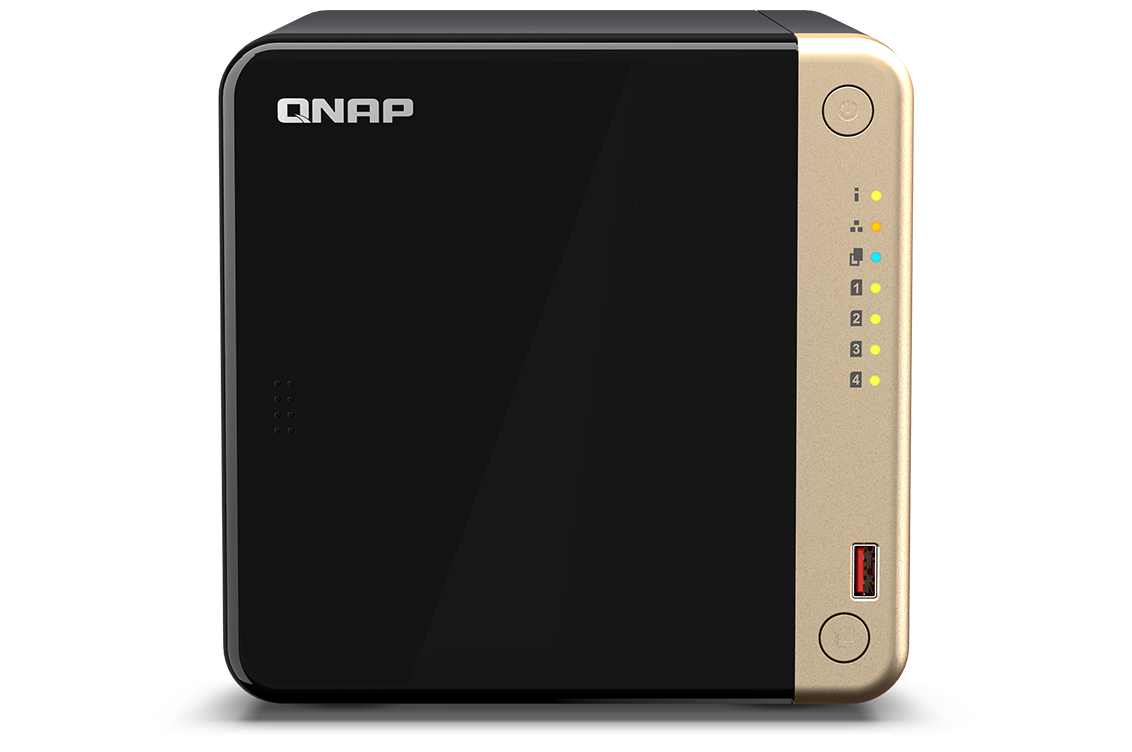
QNAP TS-464 is a compact 4-bay NAS with superior performance. Supporting up to 66 TB storage and 4 TB M.2 SSD caching* at an affordable price, the TS-464 fulfills your multitasking challenges for file management, backup, collaboration, and video conversion.
Powered by an Intel® Celeron® N5095, quad-core processor (burst up to 2.9GHz), the TS-464 features two 2.5GbE RJ45 ports and Port Trunking for up to 5Gbps combined bandwidth. With M.2 PCIe Gen3 and PCIe Gen 3 slots, the TS-464 provides flexibility in extending NAS functionality, allowing you to install a QM2 card for M.2 SSD caching, or Edge TPU for AI image recognition and various 10GbE/5GbE network cards. The TS-464 comes with 4 GB RAM for running light VMs and Containers, and supports multi-cloud backup, cloud storage gateways, 4K HDMI output and real-time transcoding, alongside expandable storage capacity and feature-rich apps to perform as a cost-efficient, reliable 2.5GbE NAS.
2.5GbE Connectivity
Up to 5 Gbps transfer speeds can be achieved by setting port trunking with the two built-in 2.5GbE (2.5G/1G/100M) ports.
M.2 SSD Caching
Dual M.2 PCIe Gen 3 slots enable NVMe SSD caching or SSD storage pools for improved performance, or Edge TPU for AI image recognition.
PCIe Expandability
Install a PCIe Gen3 x2 card to expand the core functionality of the TS-464, including a Multi-Gig 10GbE/5GbE/2.5GbE network card, a QM2 card, or a USB 3.2 Gen 2 (10Gbps) card.
License-free Virtualized Environment
Host multiple containerized apps to run a wide range of applications and services.
Drives Auto-Tiering
Qtier™ auto-tiering technology and SSD caching enable constant storage optimization.
4K HDMI
4K H.264 hardware decoding and real-time transcoding for smooth big screen multimedia experience.
Upgrade to dual-port 10GbE with a PCIe network card
With a superior hardware design, you can install a dual-port 10GbE network card QXG-10G2TB in the TS-464. Combining 10GbE networking, quad-core processor, and M.2 SSD caching, the TS-464 unleashes its full performance potential.
Expand storage capacity up to 16 hard drives
TS-464 supports a storage capacity of up to 66 TB by installing four 3.5-inch 22 TB hard drives in RAID 5. By connecting a TL-D1600S QNAP storage expansion unit, you can add an additional twelve hard drives to the TS-464 to achieve up to 280TB storage space to meet growing storage requirements.
Accelerate AI–powered image recognition and caching with TPU and PCIe expansion
TS-464 has two M.2 PCIe Gen 3 slots for installing NVMe SSD (including Apacer®, Micron®, Seagate®, WD®, and more) or Edge TPU.
Abundant I/O capabilities with PCIe expansion
QNAP offers a wide range of expansion cards to add versatile functions to your NAS. The TS-464 has one PCIe Gen 3 x2 slot that supports various expansion cards for expanding application potential.
One Touch Copy backup with USB 3.2 Gen 2
TS-464 provides two 10Gbps USB 3.2 Gen 2 ports for faster file transfer to/from USB 3.2 Gen 2 devices. The One Touch Copy button also allows you to back up the contents of USB devices to the TS-464 with a single button press.
Smoother mobile experience with GPU
Taking a lot of photos with your smartphone? Qfile mobile app will help you free up space by automatically backing up photos to the TS-464. With Intel® UHD Graphics, the TS-464 greatly speeds up converting videos to 1080p / 720p, allowing for smooth streaming to mobile devices over varying mobile network speeds.
Use your NAS like a PC
QNAP’s exclusive Virtualization Station enables running multiple Windows®/Linux® virtual machines. By connecting a keyboard, mouse, and HDMI™ monitor, you can easily use the TS-464 as a PC.
QTS 5, Fast, smooth, and easy-to-use!
The TS-464 comes with the QTS 5 operating system as standard, providing a next-generation usage experience with an updated system kernel, optimized user interface, and advanced security features.
-
Brighter. Smoother. You’ll like it.
When navigating QTS 5, you will notice a finer attention to detail for a superior browsing experience. Enjoy a smoother NAS experience, comfortable visual design, and find your favorite apps quicker.
-
Get started with the notice board
When performing first-time installation, the notice board guides you through the setup process. Simply follow the step-by-step instructions for a quick and easy setup.
-
Smooth and reactive user interface
Whether clicking buttons, switching between apps, expanding/collapsing windows – every action is much smoother. The search bar in the main menu also assists in quickly finding desired apps.