Compare
Products
Products

No reviews yet. Be the first to review!



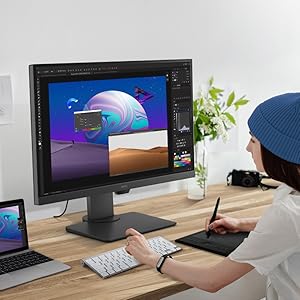
Only an exceptional monitor can be trusted to display your creations precisely as you imagine them. PD2705Q’s intuitive design empowers you to make your vision reality.

|

|

|
|---|---|---|
Color ConsistencyExperience consistent colors throughout your workflow, even on multiple monitors. BenQ ensures PD2705Q displays from different production lines show color at the same levels. |
CalMAN Verified and Pantone ValidatedBenQ displays are the first in the industry to earn these certifications. PD2705Q earns CalMAN Verified and Pantone Validated status. Creative professionals demand excellence, and BenQ delivers. |
Professional ModesElevate your expertise with BenQ’s specialized display modes. Darkroom, M-Book, Animation and CAD/CAM modes allow creative professionals to quickly dive right into their design, whether it’s for industrial design, commercial design, graphics design or animations. |

|

|

|
|---|---|---|
HDR for Realistic ResultsPD2705Q is HDR10-compatible so videographers can preview HDR video content during the editing process. This ensures superior final output. |
One Cable ConnectivityUSB-C port transmits high-speed video/audio/data and 65W power delivery with just one cable. Daisy-chain monitors to improve work flow in an uncluttered workspace. |
Keyboard Video Mouse (KVM) SwitchKVM Switch function allows users to display and control content from two different PCs on a single screen using just one keyboard and mouse to save space and boost work efficiency. |

|

|

|
|---|---|---|
Display PilotDisplay Pilot is BenQ’s proprietary software to simplify workflows by offering support tools to make design work more convenient and flexible. |
Out-of-the-Box Color AccuracyHave confidence in your color. Each BenQ PD2705Q arrives factory-calibrated with its unique calibration report. |
ICCsyncICCsync simplifies the mapping process between the profile on the monitor and the source device. This ensures the monitor displays the accurate color setting. |